

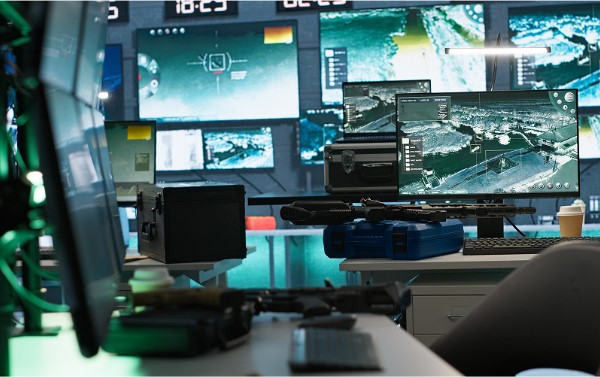
Control room environments demand constant attention, quick decision-making, and sustained operator performance over long shifts. Yet many of these workspaces are designed without a clear understanding of what truly supports operator focus. Poor control room console furniture arrangements, visibility issues, and even lighting can quietly undermine productivity in mission-critical settings. For facilities that rely on continuous monitoring and real-time response, these oversights can be costly.
Below are common layout mistakes that may be silently draining efficiency in your control room, along with tips on how to avoid them.
1. Ignoring Sightline Alignment Between Screens and Consoles
One of the most overlooked aspects in control room planning is poor alignment between operator sightlines and the video wall or critical displays. When monitors are too high or too far apart from the control room console furniture, operators are forced to strain their necks or shift their position repeatedly. Over time, this causes fatigue and reduced concentration.
Optimal viewing angles should be designed from the seated operator’s eye level. Consoles must be positioned to ensure a clear, unobstructed view, especially for team members seated in the back rows.
2. Overcrowding the Console Area
Operators need space to work—not just for their equipment, but for physical movement and comfort. Many control rooms suffer from layouts that prioritise maximum workstation quantity over ergonomic spacing. This can make it harder for staff to shift posture, move between zones, or collaborate without interruption.
Each control room console furniture unit should have sufficient clearance between workspaces. Walking paths must be clear, and operator chairs should have space to swivel without collision.
3. Placing Consoles Too Close to High-Traffic Zones
Foot traffic behind or near the consoles can create constant distractions. Noise, movement, and the occasional unintentional glance over the shoulder all reduce an operator’s ability to maintain focus on the task at hand. This is especially disruptive in security, emergency response, or utilities environments.
Control room layouts should designate clear operator zones away from common access pathways, entryways, or casual meeting areas. Quiet, defined operator zones foster concentration and reduce unnecessary disturbances.
4. Poor Lighting Control
Lighting has a major impact on alertness and eye strain. Yet many control rooms rely on generic ceiling fixtures with little regard for the needs of round-the-clock operators. Harsh overhead lights or bright glare from improperly positioned windows can make it difficult to concentrate for long periods.
The best approach is layered lighting. Adjustable ambient lighting combined with subtle task lighting helps reduce strain. Indirect lighting around the control room console furniture is especially effective in minimising glare without dimming the entire room.
5. Failing to Isolate Equipment Noise
In some facilities, the placement of network servers, backup systems, or other equipment directly beside operator consoles introduces a constant hum or vibration that can quickly become exhausting. Over time, even low-level noise creates cognitive load.
Equipment should be isolated in adjacent or sound-insulated zones whenever possible. When proximity is required, acoustic treatments around control room console furniture can help absorb sound and maintain a more focused environment.
6. One-Size-Fits-All Console Furniture
Not all operators have the same physical needs, and yet many control rooms still use static, non-adjustable desks. Fixed-height control room console furniture can force operators into unnatural postures, leading to discomfort, distraction, and even chronic health issues.
Modern control centres should include consoles with sit-stand functionality and adjustable monitor arms. This allows each operator to customise their station, improving posture and long-term concentration during extended shifts.
7. Inadequate Cable Management
Tangled wires, visible connections, and cluttered consoles can create more than just visual chaos—they also make it harder for operators to move freely or maintain clean workflows. In high-pressure environments, even seconds spent untangling a cord or tracing a connection can have consequences.
Well-designed control room console furniture includes cable trays, concealed routing channels, and device mounting options that support seamless integration of all necessary hardware without clutter.
8. Poor Collaboration Flow
While uninterrupted focus is vital, collaboration is equally important in mission-critical settings. When team-based interaction is part of the workflow, poor layout choices—such as consoles arranged in linear rows without any shared visibility—can slow down communication and decision-making.
A properly zoned control room allows operators to focus individually while enabling quick side-by-side consultations or shared screen reviews when required. Modular layouts, curved formations, or open clusters can support both needs without compromise.
Conclusion
Even the most advanced technology can fall short in a poorly arranged environment. Focus, comfort, and visual clarity must all be built into the core design of any control room. From ergonomically designed control room console furniture to strategic layout planning, every detail shapes the way operators think, move, and respond.
Contact Datumstruct CFS to explore control room design solutions that prioritise operator focus, comfort, and long-term performance.